Businesses & operators
Safety coordination for employees, lone workers, contractors and operations.


SecureNet by Help Me Now
Connecting people, devices and response teams.
A modular approach to safety for businesses, public bodies and the people they serve.
Who SecureNet is for
SecureNet brings an organisational approach to personal safety: businesses protecting their workforce, public bodies supporting their teams and communities, and organisations extending assistance to the people they serve.
Organisational software, operator workstations and compatible field devices, connected around your people, sites and response teams.
Its purpose is to keep assistance requests, available information and the people responsible for responding within one coordinated organisational framework.
Safety coordination for employees, lone workers, contractors and operations.
Supporting the safety needs of public-sector teams, facilities and communities.
Extending safety to residents, patients, guests, customers, travellers and participants.
Employees, contractors, residents, patients, guests, customers and travellers have different needs. The organisation defines who is involved, which places and teams matter, and who takes responsibility when assistance is needed.
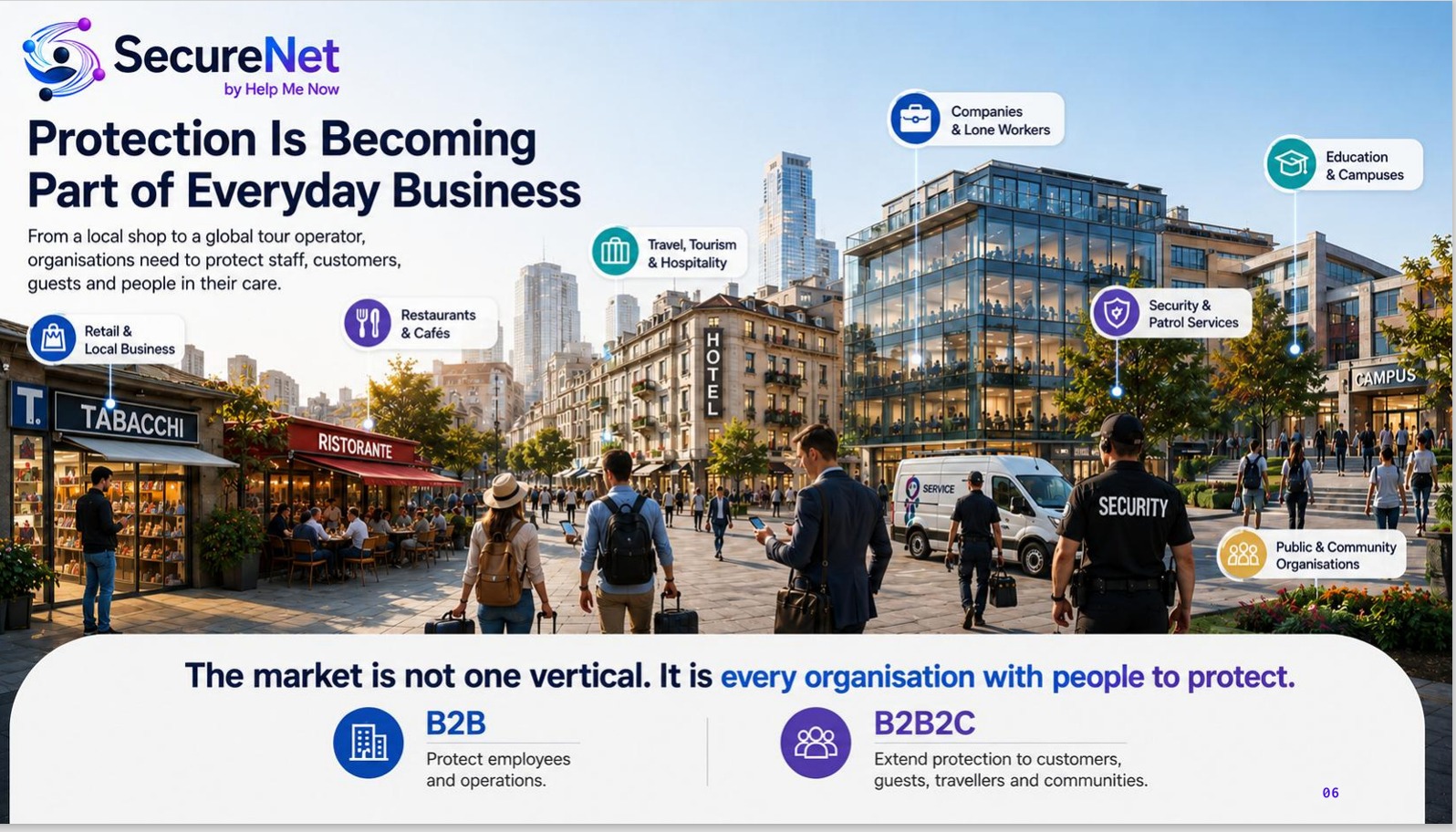
Different organisations share the same starting point: define the people to protect, the sites and teams involved, the compatible devices and the responsibilities for response. SecureNet’s modular vision brings these choices into a common platform.
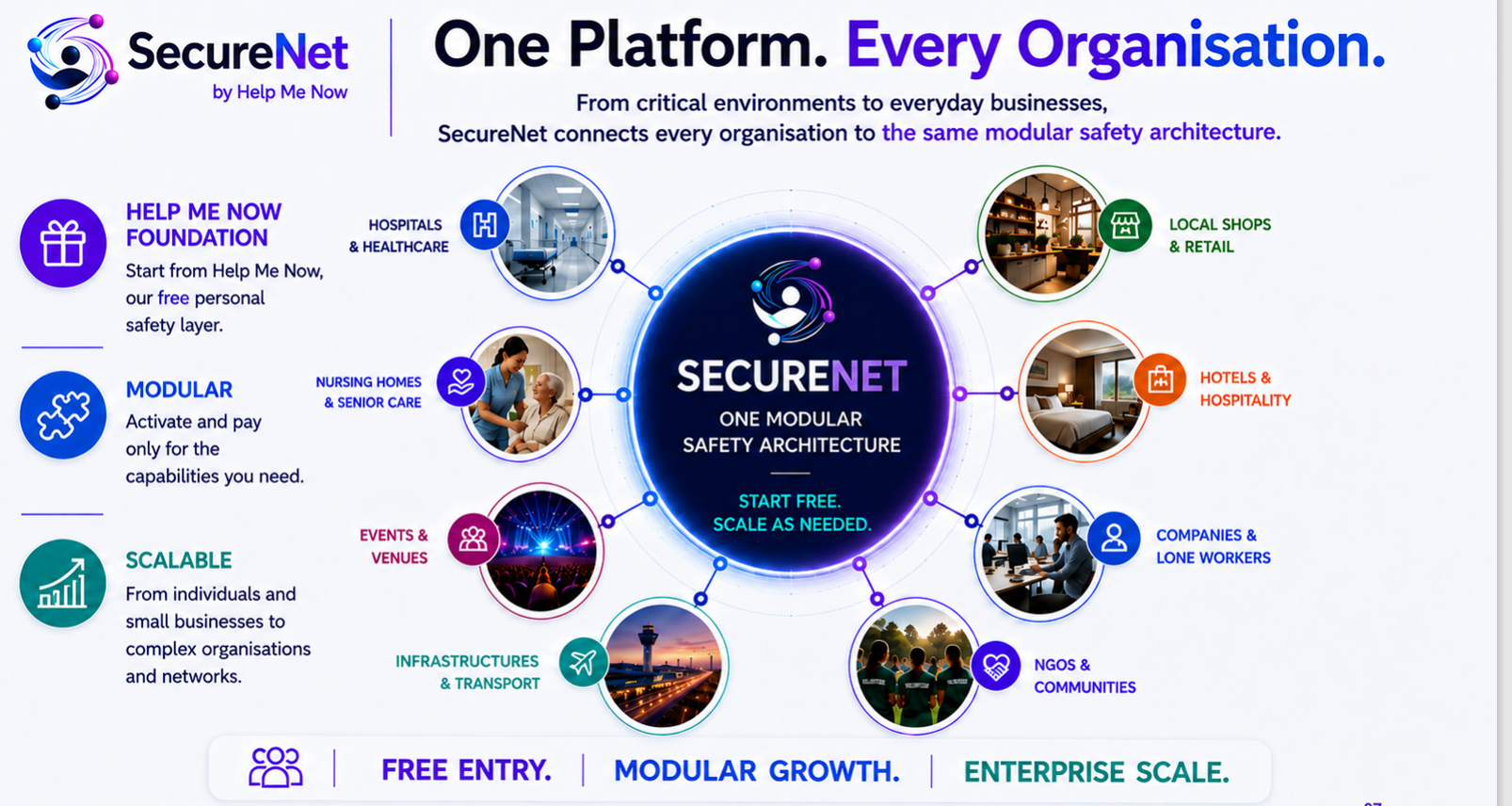
Sectors and operating environments
The needs of a care facility, a public venue, an infrastructure operator, a local business and an industrial workforce are different. SecureNet’s modular approach connects people, compatible equipment and response responsibilities around each organisation’s structure.
Explore the five areas below to understand the purpose of the platform in each environment, the information teams need and how responsibilities are organised.


Safety coordination for care homes, hospitals and assisted-living organisations, bringing the needs of residents and patients together with the responsibilities of authorised care and facilities teams.
SecureNet is being designed to connect requests for assistance, compatible wearable signals and selected building sensors with the teams responsible for each facility. Organisation, site and role permissions would determine who can access incident and location information, helping maintain accountability across departments and changes of duty.
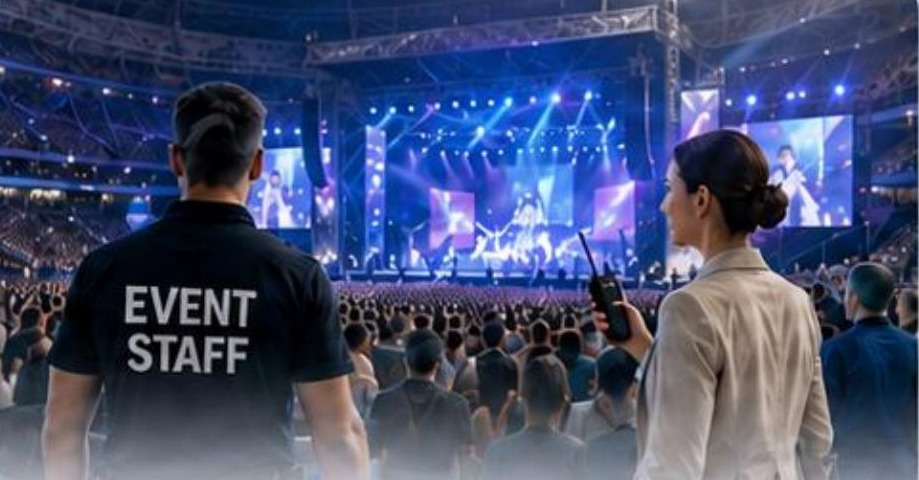
Operational coordination for organisers managing participants, stewards, volunteers, contractors and multiple response teams across permanent or temporary venues.
The planned platform brings people, operating zones and response responsibilities into a common environment. Temporary memberships and role-based access would help define which teams receive information, while supported communications and incident records would support coordination across security, facilities and event operations. Device and network configurations require assessment under the venue’s actual occupancy and operating conditions.

An organisational safety layer for transport hubs, public facilities and infrastructure operators responsible for people, distributed sites and contracted services.
SecureNet’s planned shared Core is intended to bring compatible device events, available location information and defined response rules into one operational view. Separate permissions would allow each authorised team to work within its remit, while a common event history would support coordination across facilities and service providers. Connectivity, power and local response arrangements remain essential parts of each deployment.

Configurable safety tools for shops, restaurants, cafés, hotels and groups that need to protect employees while maintaining a clear response structure for guests and customers.
The modular design is intended to let an organisation define the locations, personnel, compatible devices and response responsibilities relevant to its operations. A common operational record would help designated staff acknowledge and manage incidents, while access permissions and supported communication channels would keep information directed to the appropriate people. The configuration can be assessed for an independent business or a network of locations.

From mines and energy sites to factories, construction, transport and logistics, SecureNet is being designed around the people working across complex, distributed and demanding environments.
The aim is to give authorised teams a coordinated view of personnel, compatible devices, requests for assistance and operational responsibilities. Employees, lone workers, contractors and visiting teams can be organised by site, zone, group and shift, with response rules adapted to each organisation.
Personnel and contractor coordination across extraction sites, surface facilities and remote work areas. Underground conditions, equipment suitability and communications coverage require specific assessment and validation.
Safety coordination for generation facilities, renewable-energy sites, utilities and maintenance teams working across distributed assets. Site responsibilities, operating zones and designated response teams shape the configuration.
Support for production sites, industrial maintenance and construction workforces, bringing together shifts, contractors, device assignments and escalation responsibilities as teams and work areas change.
Coordination for staff working across depots, terminals, warehouses and logistics facilities. The focus is people, assistance and operational response, with access to information defined by team and location.
A common organisational structure for technicians, inspection teams and lone workers moving between sites. Available position data, device contact status and incident ownership help supervisors understand what is known and who is responsible.
Across these environments, the planned Control Panel brings alerts, available location information and assigned responders together, while the CRM defines people, devices, sites and procedures. Each configuration depends on compatible equipment, tested coverage and local response arrangements.
These are intended operating contexts. Each configuration depends on compatible devices, local conditions and validated response procedures.
What SecureNet does
SecureNet is INFOMYCITY’s modular safety ecosystem for organisations and the people they protect. It is designed to bring assistance requests, compatible device signals and authorised response teams into one coordinated environment.
Building on Help Me Now, the planned platform links people and places with defined responsibilities for assistance, communication and incident management, from one workplace to a network of facilities.
Why SecureNet matters
Organisations protect people across different places, roles and working conditions. A request for help needs context, a responsible team and a clear route to action.
SecureNet is being developed to connect those elements: what has been reported, where the available information places it, who is authorised to respond and how responsibility moves between teams.
Mobile requests, compatible devices and operational teams can otherwise remain separate. A shared view is intended to give authorised people the context they need to coordinate.
Receiving an alert and taking responsibility are different steps. Defined roles, acknowledgement, assignment and escalation give the response a structure.
A single workplace and a distributed network have different needs. Configurable sites, teams, permissions and communication routes allow the design to reflect those differences.
How SecureNet works
The planned architecture brings together a shared Core, a CRM for configuring each organisation and a Control Panel for managing operations. It builds on the Help Me Now mobile foundation.
The CRM configures the organisation. The Core connects its data, events and rules. The Control Panel gives authorised operators the information and actions needed to coordinate response. Field devices connect through their validated mobile, gateway or network routes.
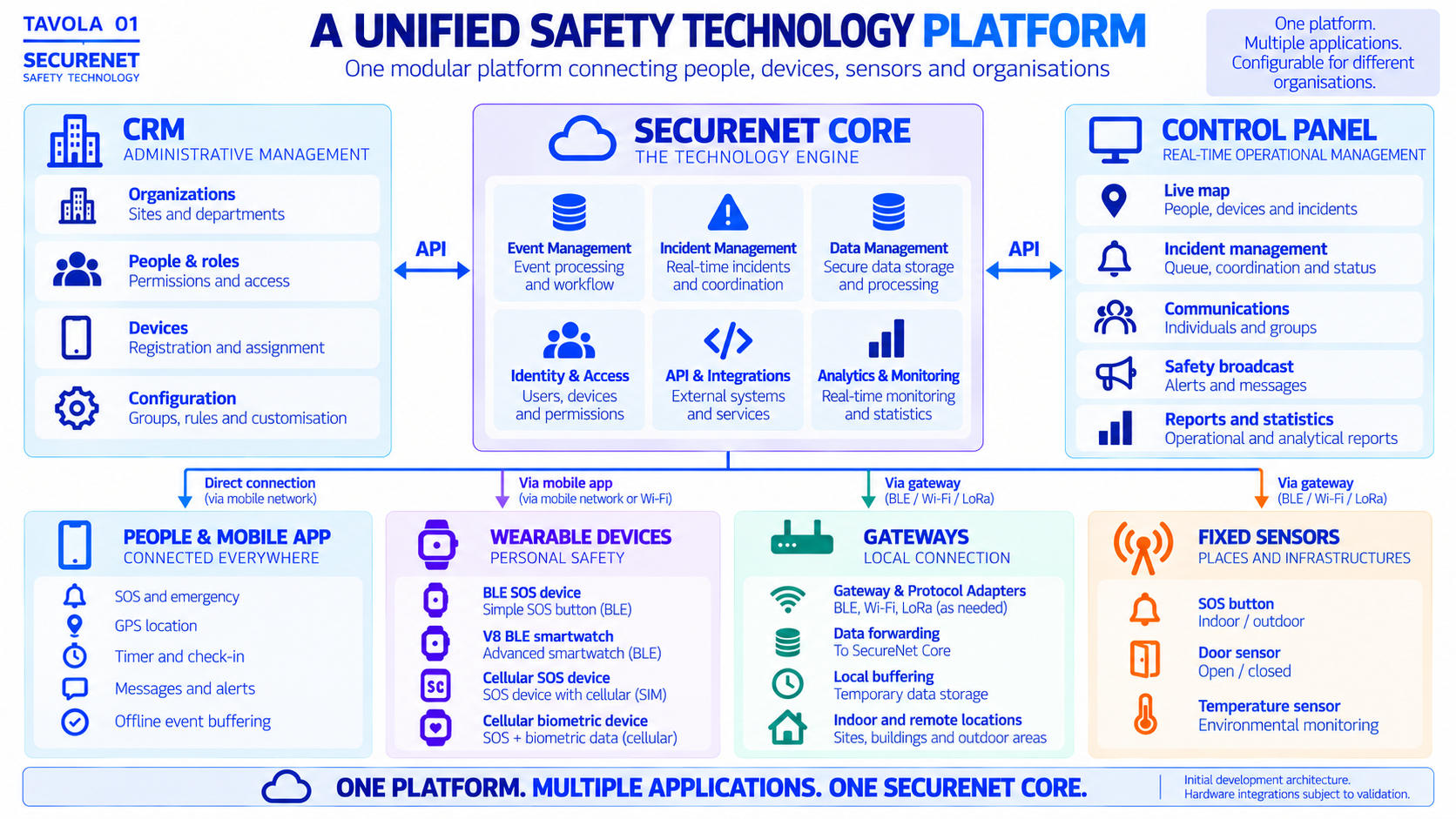
Configured for the organisation. Device signals, permissions, assignment, escalation and recovery after a connection fails are assessed together for each installation.
Communication and response
An app, wearable or sensor reports an event with its identity and observation time.
A phone or SIM device can use mobile data. A Bluetooth device needs a nearby phone or gateway with an onward connection, such as Wi-Fi or Ethernet.
The Core checks the source, recognises repeated reports of the same event and applies the site’s routing rules.
The responsible team sees the incident in the Control Panel. Configured recipients can also receive push, SMS or email where supported. The operator’s acknowledgement is recorded separately.
The components of SecureNet
The planned ecosystem combines the shared Core, CRM and Control Panel software with operator computers, mobile apps, compatible wearables, gateways and selected sensors. The configuration depends on each organisation’s needs and validated integrations.
Planned inputs include GPS positions from compatible phones and tracking devices, door-state changes and temperature readings. Biometric wearables require model-specific checks of the measurements they provide and who may access them.
Fixed inputs include a manual SOS station, a door contact and a temperature sensor. The site sets schedules and thresholds to determine which readings warrant an alarm.
A compatible wearable can use a nearby Bluetooth Low Energy gateway. Other devices may use mobile data or Wi-Fi. Each route needs testing at the site.
Compatibility, power supply, local coverage and reconnection. Each communication path must be tested from a physical event through to the operator.
The planned Core checks incoming signals, links them to a site and applies its response rules. Repeated transmissions should produce one incident.
Administrators use the CRM to configure sites, shifts, device assignments and escalation rules. The CRM and the operational Control Panel each connect to the Core.
The planned Control Panel brings together an alarm queue, a site map and device status. Operators could check the time and accuracy of the last reported position, assign an incident to the team on duty and review its history.
Recipients, responsibilities and escalation procedures must be defined with the organisation. Response depends on connectivity, configuration and designated personnel.
Operator workstations and management software
The Control Panel combines an operator’s computer workstation with SecureNet’s operational software, connected to the CRM and the shared Core.
At a local site or an operations centre, the planned workstation gives authorised teams a shared view of people, places, devices and incidents: where assistance is needed, who has taken responsibility and what must happen next. Employees, contractors, customers, residents or other authorised users are organised according to the context and permissions of each organisation.
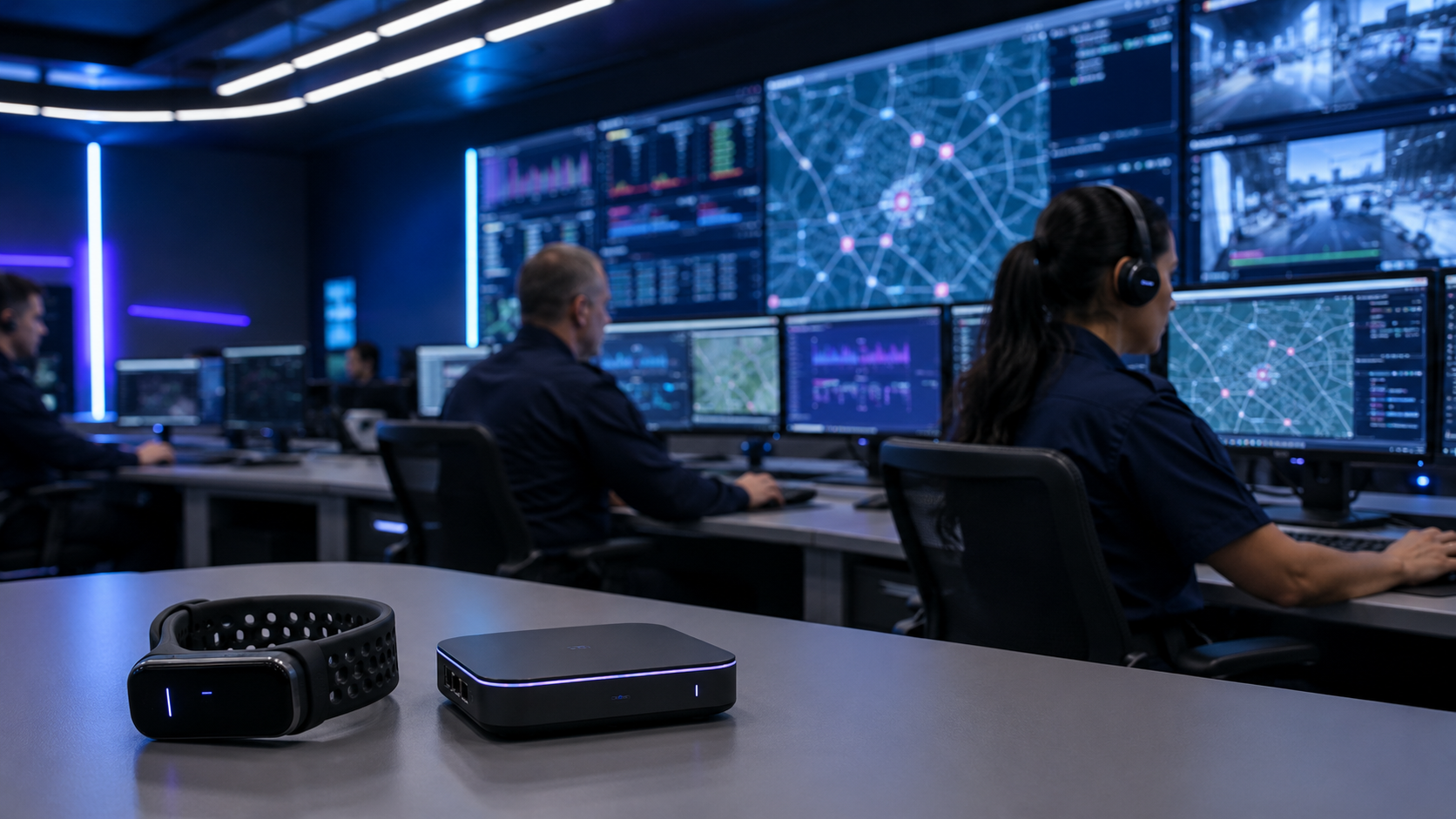
View permitted people and devices across assigned sites and zones. Available positions are shown with their observation time and accuracy, so operators can recognise stale or unavailable information.
Bring SOS requests, supported sensor alerts and device contact information into an organised view. Distinguish a request for help from a technical fault, and identify incidents awaiting an operator.
Acknowledge an incident, assign a responsible team and follow configured escalation rules. Ownership, handovers, actions and closure remain visible in the incident history.
Reach an authorised person, group or site audience through supported channels. Operators review the recorded communication status and distinguish a notification attempt from a human acknowledgement.
Connect the source, person or device, available position, contacts, notes and operator actions in one incident record. Searchable history supports operational review and continuity between teams.
Restrict information to each operator’s authorised organisations, sites and teams. Connection loss and last verified contact must remain visible; absence of an alert does not confirm that a person is safe.
The organisation behind the response
The CRM and Control Panel are complementary parts of the same ecosystem, connected to the shared SecureNet Core. The CRM manages organisations, sites, zones, people, groups, roles, device assignments and response policies. The Control Panel uses that structure for day-to-day operational coordination.
This allows the same platform architecture to reflect a single business, a public institution or a network of facilities, with separate permissions and responsibilities for each team.
The long-term vision brings AI-assisted analysis into the operator’s workspace to help interpret connected signals, recognise patterns and support decisions. These capabilities remain development objectives. Incident responsibility and escalation decisions stay with authorised people.
Explore future developments ↓The Control Panel, CRM, operator workstations and connected devices form one configuration. Functional availability and integrations are confirmed for the agreed project scope.
Devices and connectivity
Mobile apps, physical assistance controls and connected sensors play different roles. The sections below explain the connection paths first, followed by the hardware range and its model-specific requirements.
Connected and independent devices follow different communication paths. More advanced sensing and biometric measurements depend on the chosen model, its integration and the permissions required for the people wearing it.
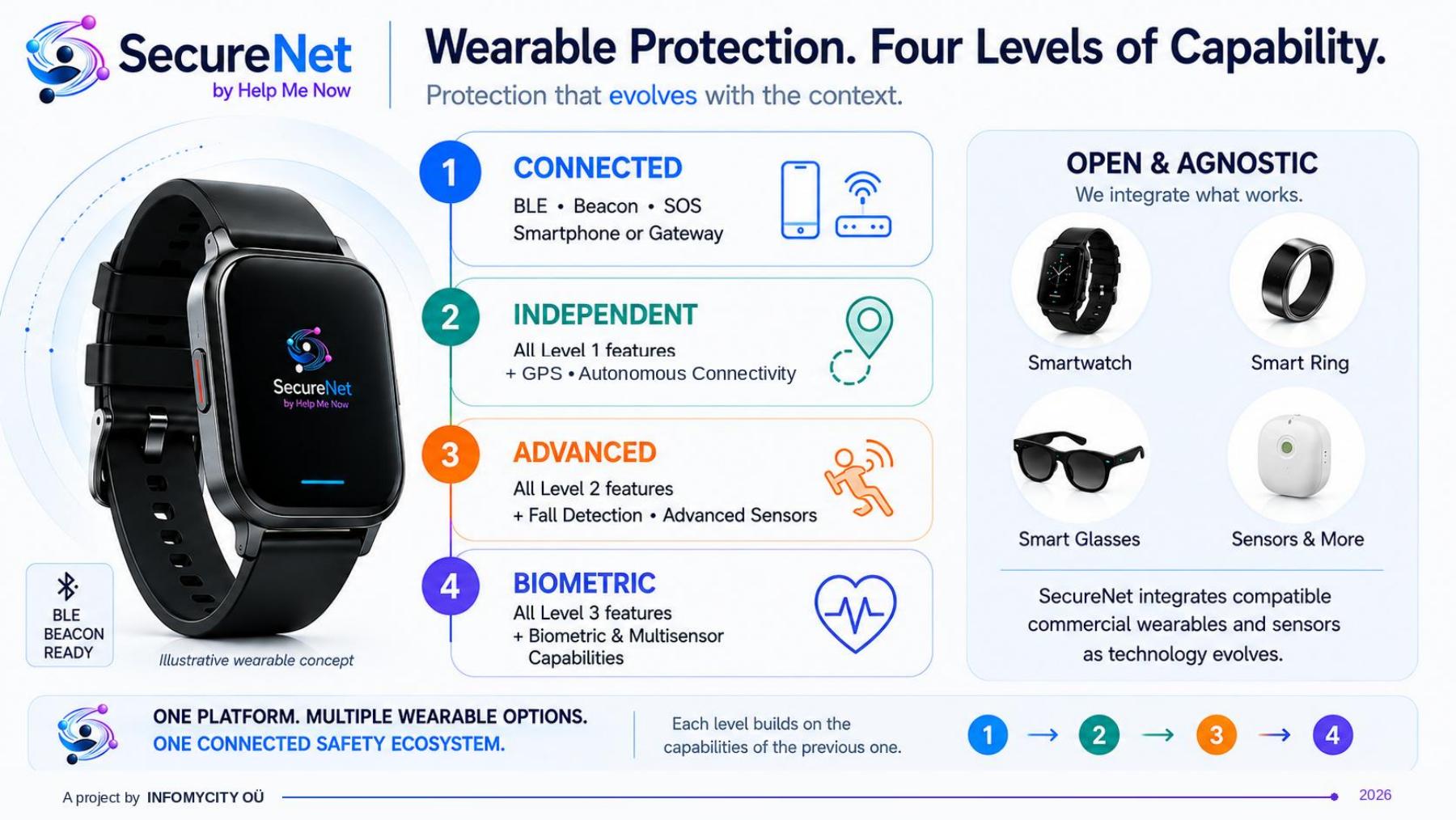
Device connection paths
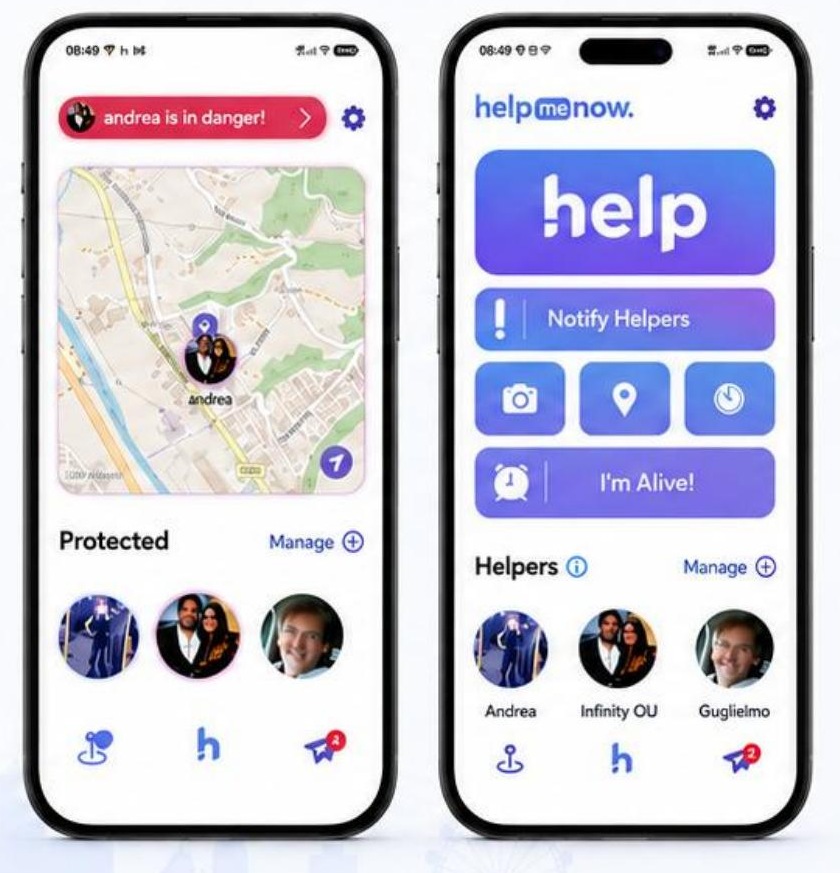
The phone sends an event and available location over Wi-Fi or mobile data.
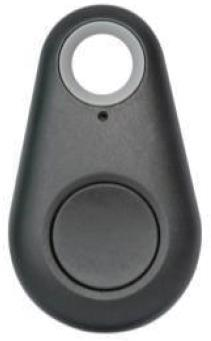
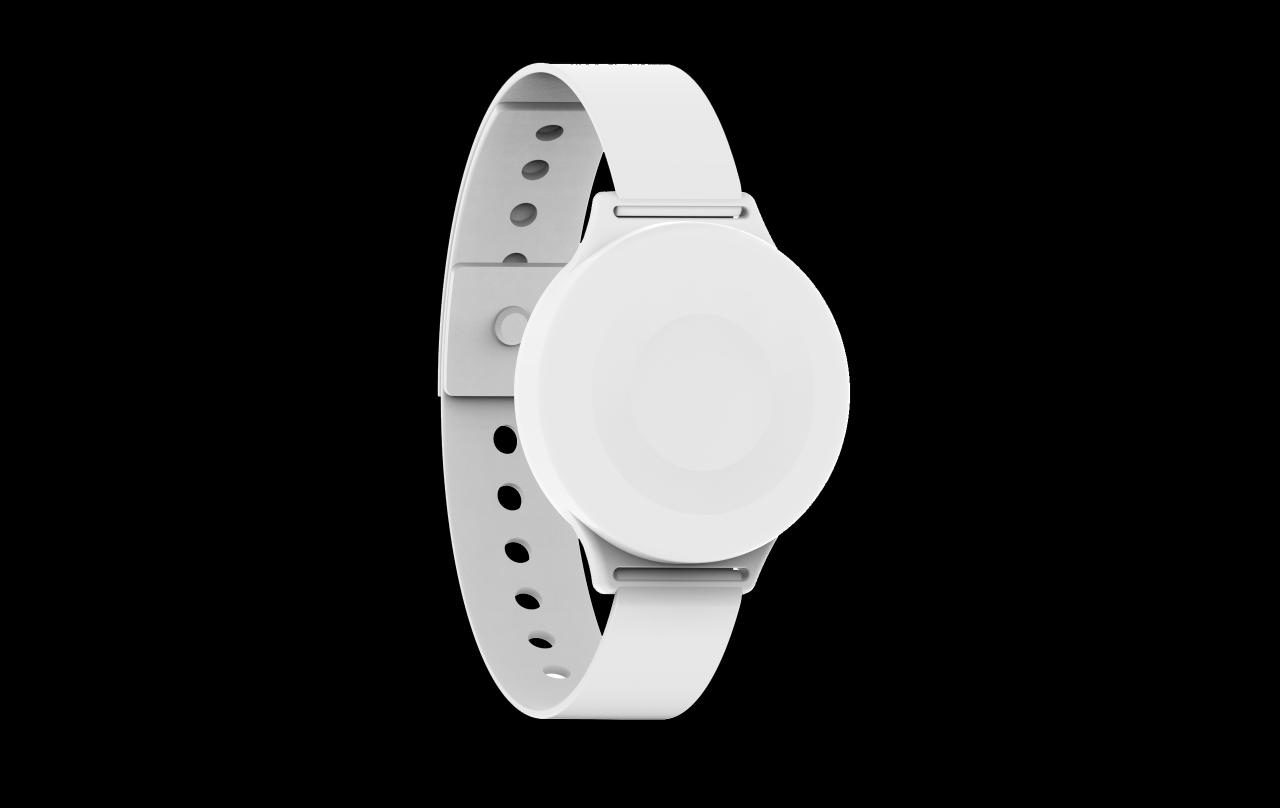
A nearby phone running the app or a compatible BLE gateway forwards the signal.
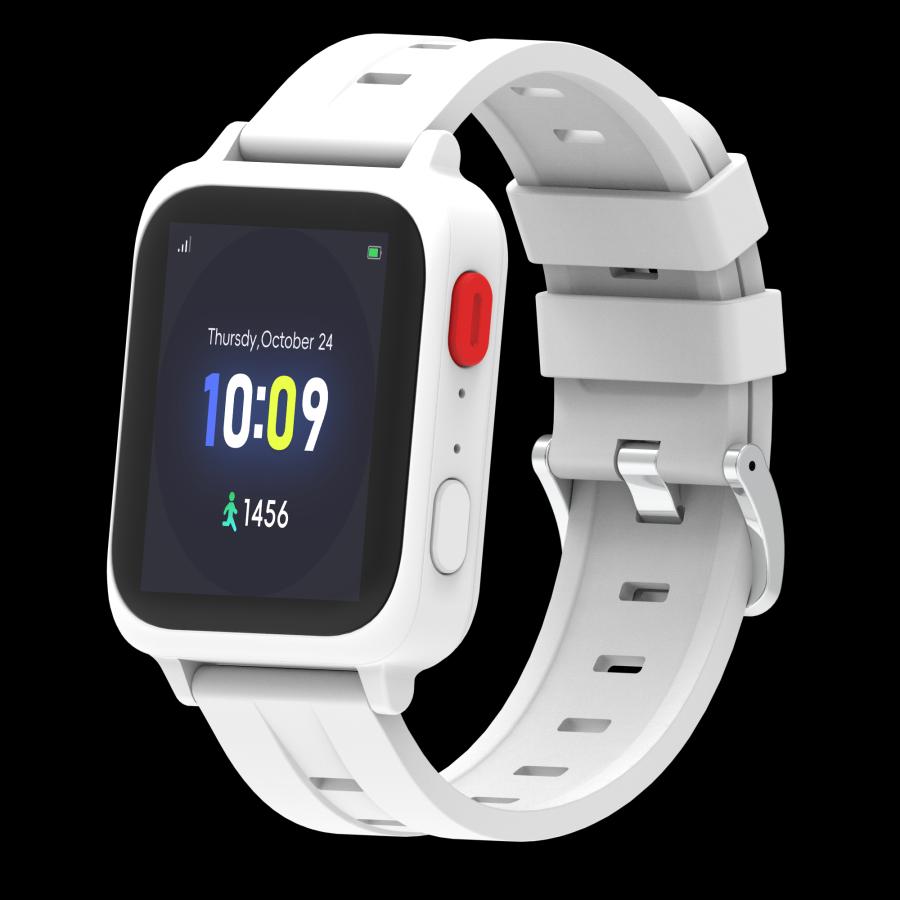
A watch with its own SIM or eSIM can communicate without a paired phone. A companion app is optional where supported.


A call point, door contact or temperature sensor reports a local event through a compatible gateway or adapter.
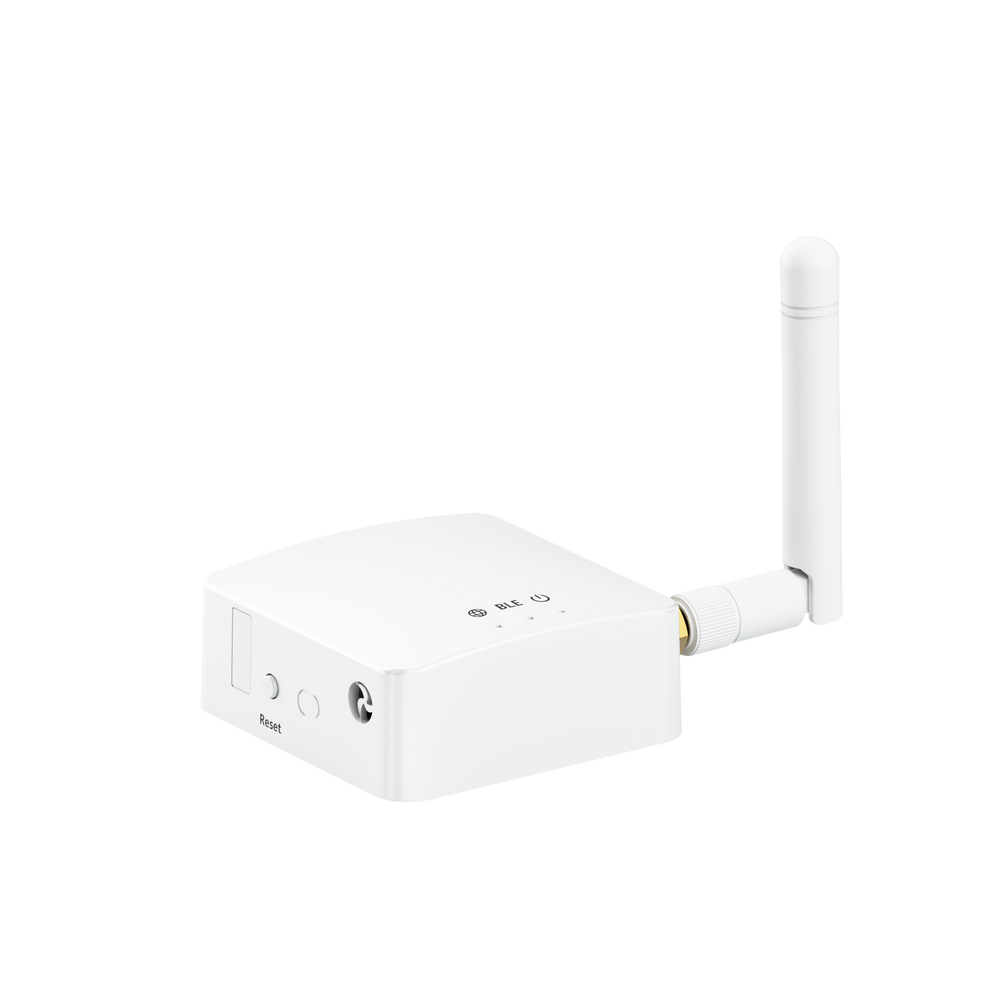
A gateway bridges local devices to the site network. The radio and onward connection depend on the equipment installed.

A compatible LoRa device sends a radio message through a LoRa antenna and gateway. The gateway needs an onward connection to the Core. Radio coverage, protocol compatibility and the complete route are assessed for the site.
Mobile data or a working site Internet connection carries events to the shared Core. At remote sites, an external satellite Internet terminal can provide site backhaul where the equipment and installation support it. A LoRa antenna extends a compatible local radio path; it does not itself supply Internet access.
Checks the source, records the event and applies the site’s response rules.
Administrators configure sites, devices, teams and permissions.
Operators review events, assign incidents and record the outcome.
Device connection architecture. The complete device-to-operator route is assessed for each configuration.
SecureNet hardware range
From wearable assistance controls to gateways and long-range radio equipment, hardware connects people and places with the organisational safety system.
Use the index to explore each device family, understand whether it relies on a phone, its own cellular connection or a gateway, and see what is involved in connecting it to SecureNet. Device model, supported signals, network conditions and integration scope are agreed for each configuration.
Selected around your organisation. Each configuration selects the device families it needs. Equipment, connection paths and response arrangements are considered together for the people and sites involved.
A compact physical button designed to make requesting assistance accessible without opening a phone app.
A wrist-worn physical control designed to keep an assistance request within reach.
A wearable combining a physical SOS control, cellular connectivity and supported location functions.
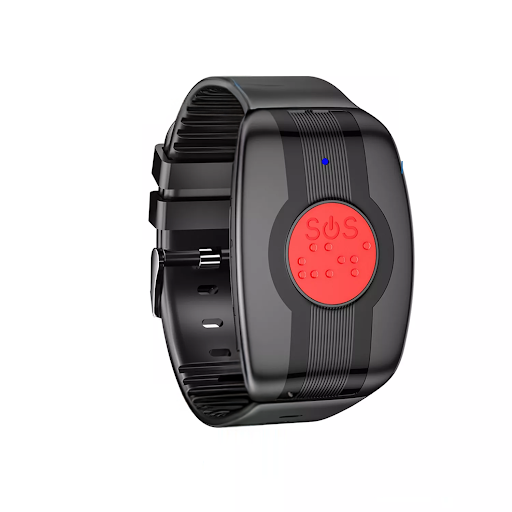
A wristband with a clearly identifiable physical emergency control for people who may need to request assistance quickly.
A smartwatch for evaluating SOS, location and selected wellness readings alongside team safety workflows.
A fixed receiver for compatible Bluetooth devices in an office, care facility or work area.
This outdoor antenna sends and receives radio signals for a compatible LoRa gateway. A cable connects its base to the radio. The reference model covers 860–930 MHz, with 3 dBi gain, IP67 housing and an N-type male connector.
Future developments
SecureNet’s next developments extend beyond artificial intelligence. The direction combines richer analysis, a wider device ecosystem, connected infrastructure and more resilient ways to reach the people who need assistance.
These areas describe the evolution of the platform. They are distinct from the configuration agreed for an organisation today, and do not imply that every illustrated capability or integration is already released.
Bring related signals, incident histories and operational context together to help operators recognise patterns and assess emerging risks. The direction includes predictive analysis and clearer prioritisation of information.
The objective is to support human judgement with relevant context, while preserving permissions, source information and a traceable record of decisions.
Explore text and voice assistance that helps people explain a situation and helps operators navigate information, procedures and available communication channels.
Any assistant must respect the organisation’s responsibilities and access rules. It must not independently make emergency, clinical or personnel decisions.
Extend the range of compatible device families, from additional SOS wearables to supported fall detection, advanced sensing and selected biometric measurements. Smart glasses and other interfaces form part of the broader integration vision.
Each family requires a documented interface, a clear purpose for the data and model-specific assessment. One device’s capabilities do not automatically apply to every model.
Connect more of the organisation’s operational environment through documented interfaces: environmental sensors, access and presence systems, compatible cameras and other existing platforms.
The aim is to bring relevant authorised information into a coordinated view. These extensions sit beyond the current reference device scope and require their own integration and data-governance work.
Develop and assess additional ways to connect suitable field equipment: long-range local radio, portable gateway arrangements, supported buffering and external satellite-backed site networks.
Coverage, power, local device links and Internet backhaul remain separate dependencies. The direction is to improve resilience and visibility of degraded states, without promising universal coverage or uninterrupted delivery.
Expand interoperability across sites, teams, service providers and existing business systems using controlled interfaces, shared operational records and role-based access.
The direction supports larger and more varied configurations around the same modular platform, with integration scope and responsibilities defined for each organisation.
Future capabilities depend on development, integration and validation. Human operators retain responsibility for response and escalation; no third-party partnership or integration is implied by these development directions.
Frequently asked questions
Understand the organisational approach, connection options and information needed to discuss a SecureNet configuration. All answers are available below as you scroll.
The modular approach can be assessed for an independent organisation as well as a network of facilities. The starting points are the people to protect, the sites and teams involved, the equipment already in use and the responsibilities for response. Scope should reflect the organisation’s actual needs.
Help Me Now provides the verified operational mobile foundation. Availability of SecureNet’s organisational Core, CRM, Control Panel and individual device integrations must be confirmed with the team for the proposed configuration. AI-assisted analysis and broader extensions are described separately under Future developments.
Help Me Now is the personal safety app for people and their trusted contacts. SecureNet addresses organisational coordination: roles, sites, devices and authorised response teams. The distinction is the structure and responsibilities of the organisation, rather than the profession or age of an individual user.
A cellular wearable with its own supported SIM or eSIM route can communicate without a paired phone when the required service is available. A Bluetooth-only button needs a nearby paired phone or compatible gateway. The device model determines which paths are possible.
Provide the make, model, firmware, available documentation and the signals you need to connect. A documented interface and practical testing are needed to establish compatibility, permissions, event delivery and the information an operator can actually receive.
A BLE gateway forwards compatible nearby Bluetooth signals to the site network. A LoRa antenna connects to compatible LoRa radio equipment or a gateway for a different, site-specific radio path. Antenna, radio, gateway, power and onward connectivity must work together; an antenna alone does not replace Internet access.
The organisation defines recipients and response responsibilities by site, zone, group and shift. The Core applies the configured rules, while the Control Panel supports acknowledgement, assignment, escalation and closure. A notification attempt and a human accepting responsibility are separate events.
The available response depends on the installed equipment and configured routes. Supported Wi-Fi, cellular data or SMS may provide an alternative where those services remain available. If no remote route works, the organisation follows its local response procedure. Buffering and later replay apply only to equipment that supports and has been tested for them.
Access is defined by organisation, site and role. Available positions need observation time and accuracy so operators can judge how current they are. Device readings depend on the model, integration and authorised purpose. A missing or outdated position must remain distinguishable from a current one.
The catalogue introduces device families and their connection paths. The team confirms the exact model, supported functions, integration status, quantities and supply terms for the proposed configuration. A product reference does not establish that every function is integrated for every installation.
Describe your organisation, operating sector, number of sites, approximate number of people or shifts, existing equipment and connectivity. Explain the outcomes and response responsibilities you need. These details help define the hardware, software, integration work and project scope needed for a proposal.
The current website prepares an email draft for you to review. Open the draft in your email app, or copy the text, and send it to joyvanguardgroup@gmail.com. Completing the form alone does not send a message. General public enquiries can also be addressed to worldvanguardgroup@gmail.com.
Contact INFOMYCITY
For information about SecureNet, technology integrations or a potential project, contact the INFOMYCITY team.
A useful proposal identifies the organisational, technical and commercial scope for your project.
Fields marked * are required. Describe roles and sites in general terms.
Your enquiry is ready to review. Open the email draft in your email app, or copy the text to send it using your preferred email service.